

Prepared by: Mahdi Hasan
Role: Google Ads & Meta Ads Specialist
Purpose: To ensure a smooth client onboarding experience from inquiry to project kickoff.
| Step | What happens | Responsible | Tool |
| Inquiry | Client sends inquiry via website, Facebook, LinkedIn, or WhatsApp | Mahdi Hasan | Gmail, WhatsApp, Facebook |
| Discovery Call | 15-minute call to understand business goals and budget | Mahdi Hasan | Calendly, Google Meet |
| Proposal | Customized proposal with scope, timeline, and pricing is sent | Mahdi Hasan | Google Docs, Canva, PDF |
| Contract | Client reviews and signs service agreement | Client + Mahdi Hasan | Google Docs / PDF |
| Welcome Packet | Welcome email, process guide, communication rules, and access request are sent | Mahdi Hasan | Gmail, Google Docs |
| Kickoff | Kickoff meeting, timeline confirmation, access collection, and first tasks are assigned | Mahdi Hasan + Client | Google Meet, Trello / ClickUp |
6 Steps with details in the correct sequence.
(Inquiry → Discovery Call → Proposal → Contract → Welcome Packet → Kickoff)
1. Inquiry
- Reply within 24 hours.
- Collect client name, business name, website, and service requirement.
2. Discovery Call
- Discuss goals, target audience, current marketing status, and budget.
- Take meeting notes.
3. Proposal
- Include services, deliverables, timeline, investment, and next steps.
- Send within 48 hours after the call.
4. Contract
- Send agreement for approval.
- Start work only after confirmation.
5. Welcome Packet
- Send onboarding email and required access checklist.
- Share communication channels and response time.
6. Kickoff
- Confirm project start date.
- Create task board and first-week action plan.
Welcome Packet
Hello and welcome!
Thank you for choosing Mahdi Hasan – Google Ads & Meta Ads Specialist. I’m excited to work with you and help grow your business through data-driven marketing.
What happens next?
- Kickoff meeting confirmation
- Access collection (Google Ads, Meta Business Manager, Analytics, Website)
- Strategy review
- Campaign setup
- Reporting schedule confirmation
Communication
- Email: your@email.com
- WhatsApp: +8801XXXXXXXXX
- Response time: Within 24 business hours
Please send before kickoff
- Website URL
- Business logo
- Brand colors (if available)
- Ad account access
- Analytics access
Meeting information
Kickoff meetings are conducted via Google Meet.
Thank you again for your trust. Looking forward to a successful collaboration!
Mahdi Hasan
Google Ads | Meta Ads | Web Analytics
Slack + Google Calendar Integration
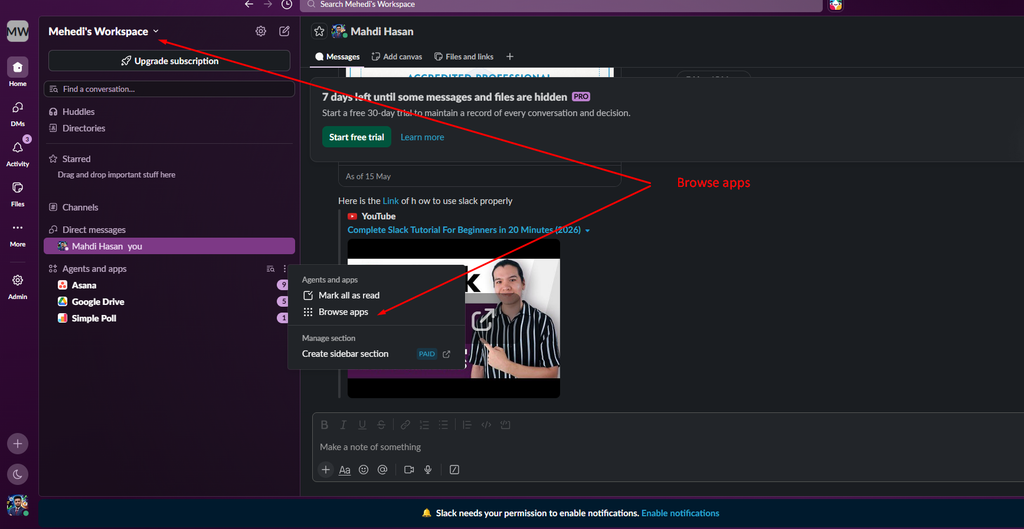
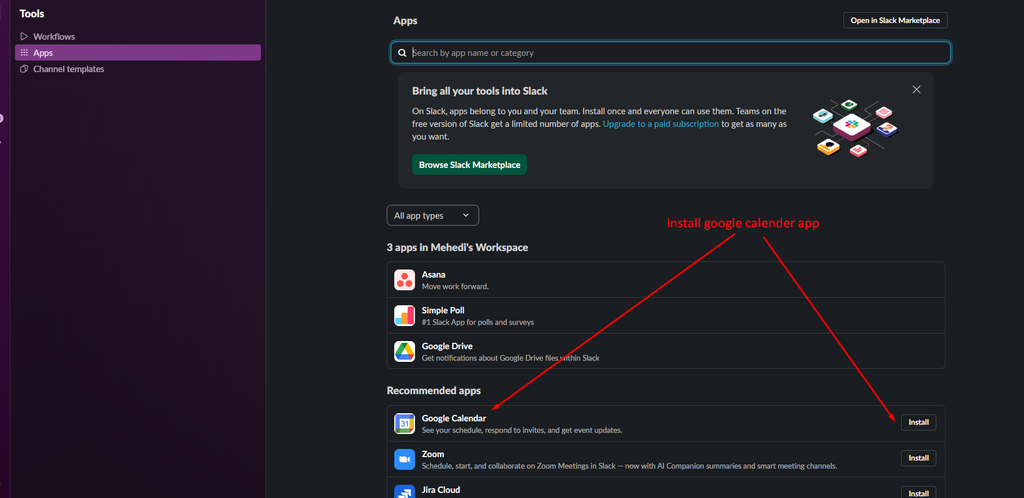
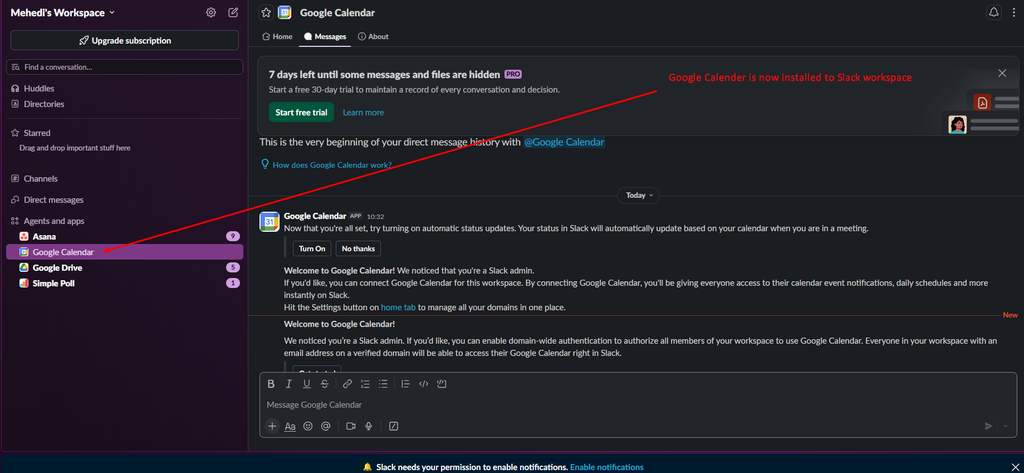
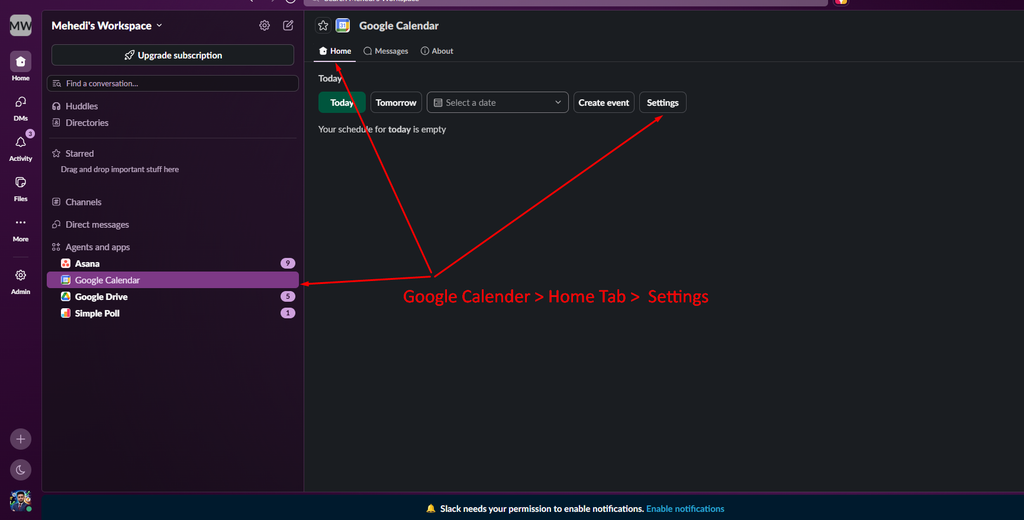
Connect Google Calendar app in Slack:




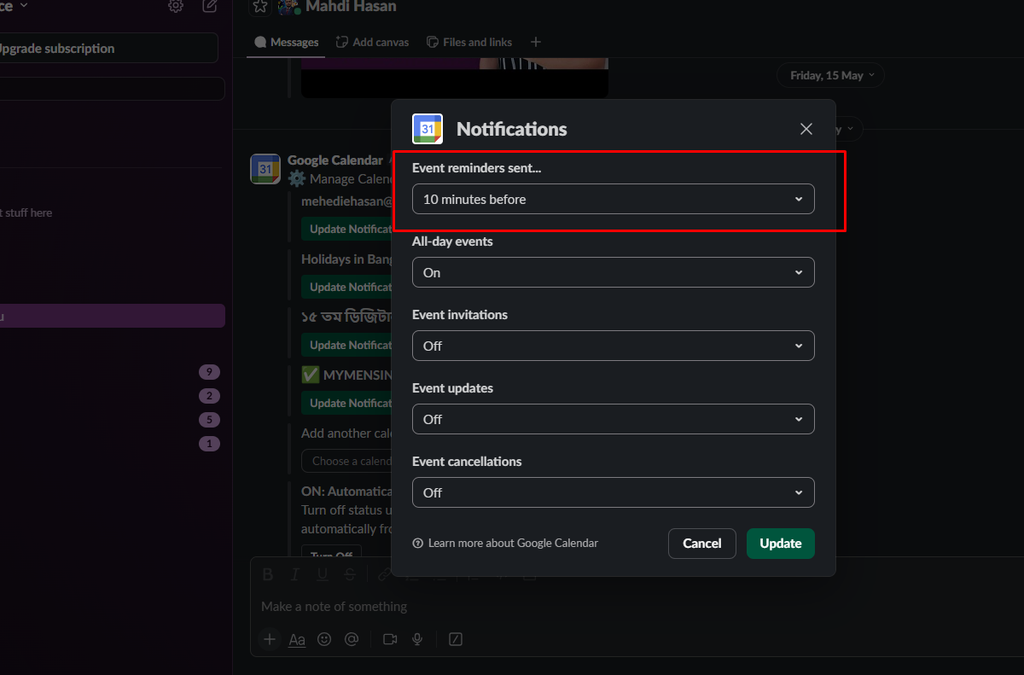
How I set this reminder:
I connected the Google Calendar app from Slack Apps and opened the Home → Settings section. Then I enabled Event reminders and set a notification for 10 minutes before each meeting so reminders are automatically delivered in Slack.