

Table of Content:
- Pixel Creation + explanation
- 1 Custom Audience + 1 Lookalike Audience
- 1 Complete Lead Gen Campaign Draft
- Ad Copy
- Advanced Challenge — Instant Form Questions
- Pixel Creation + explanation
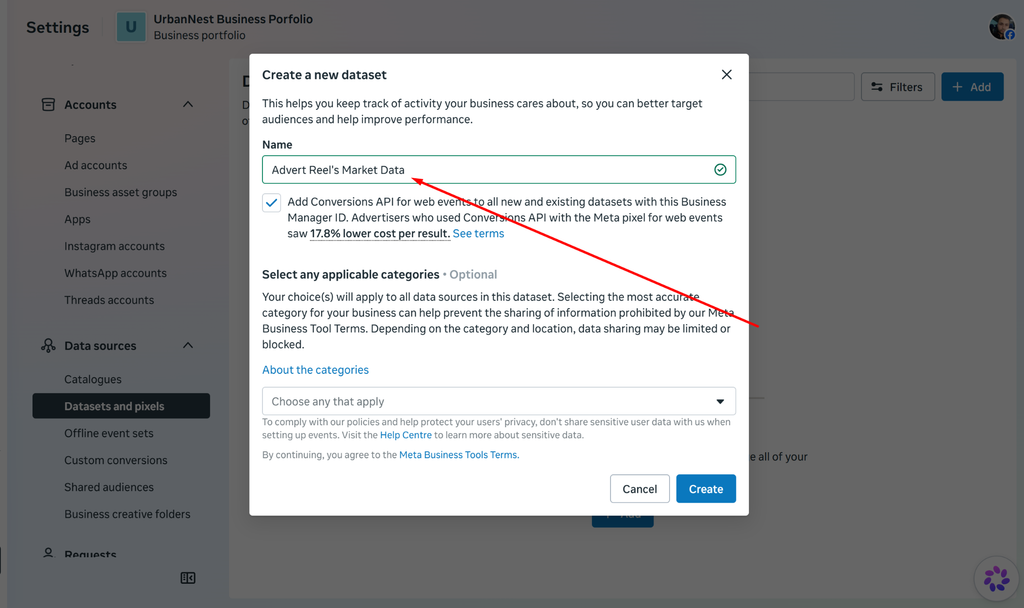
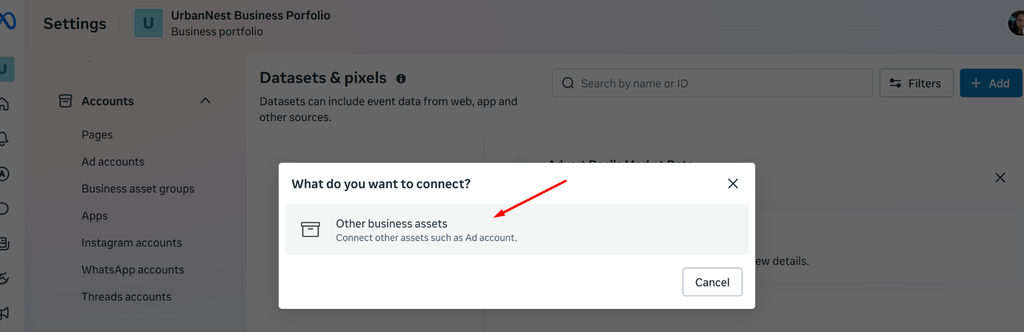
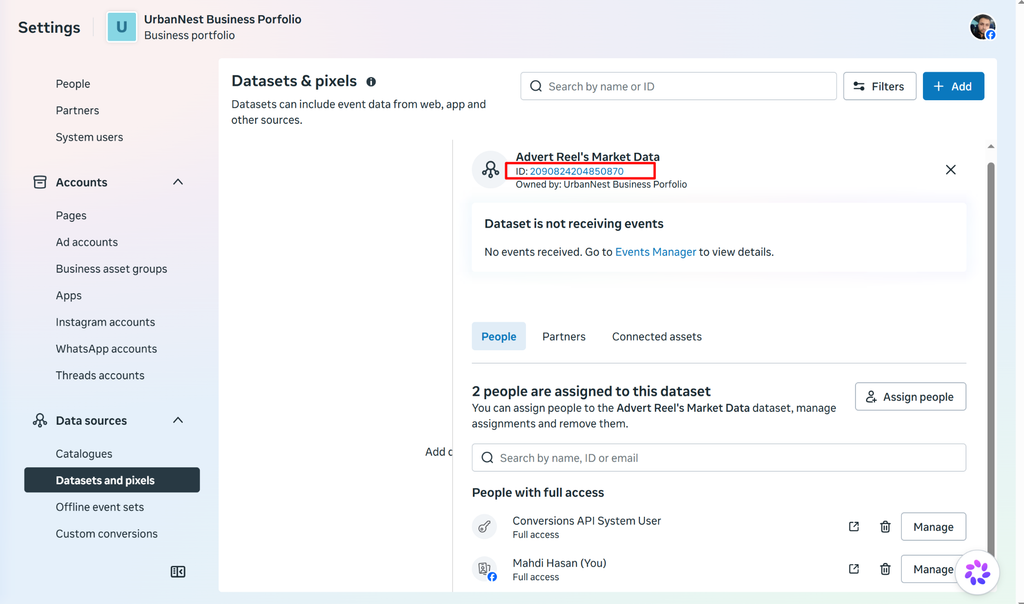
- Business Portfolio Setting > Data Source > Datasets and Pixels > Datasets and Pixels > Add and following the screenshot






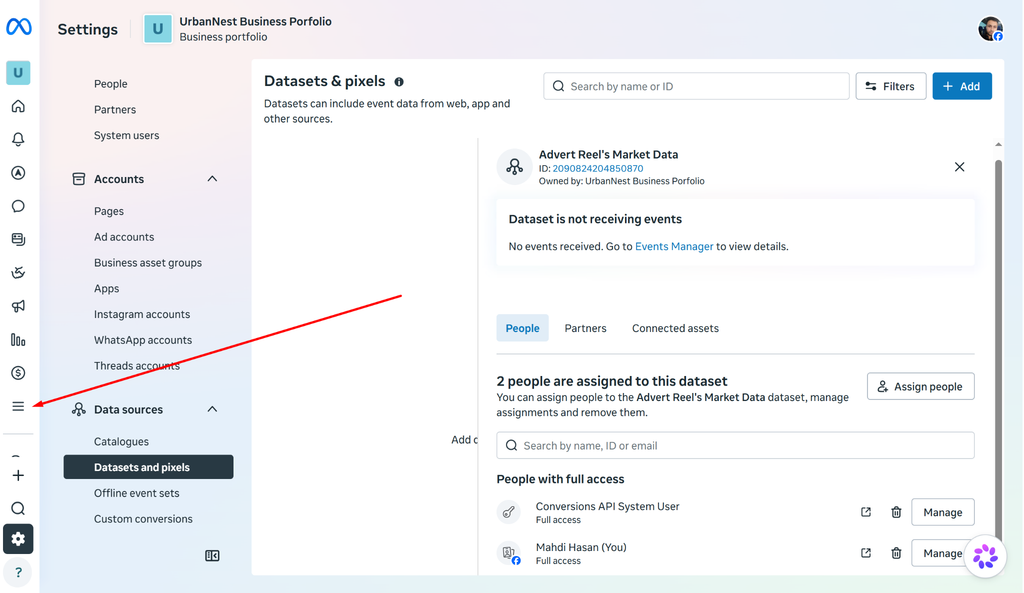
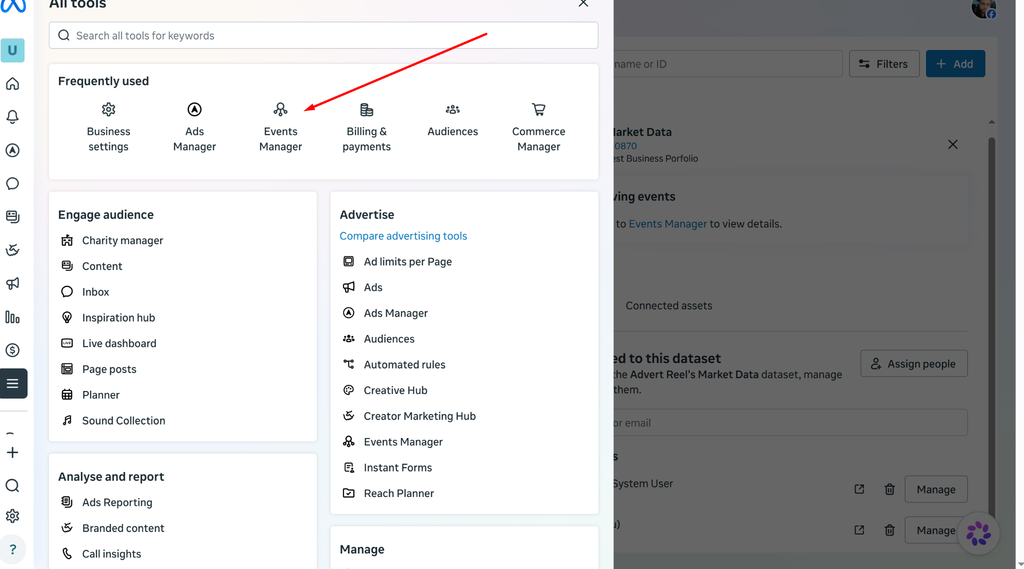
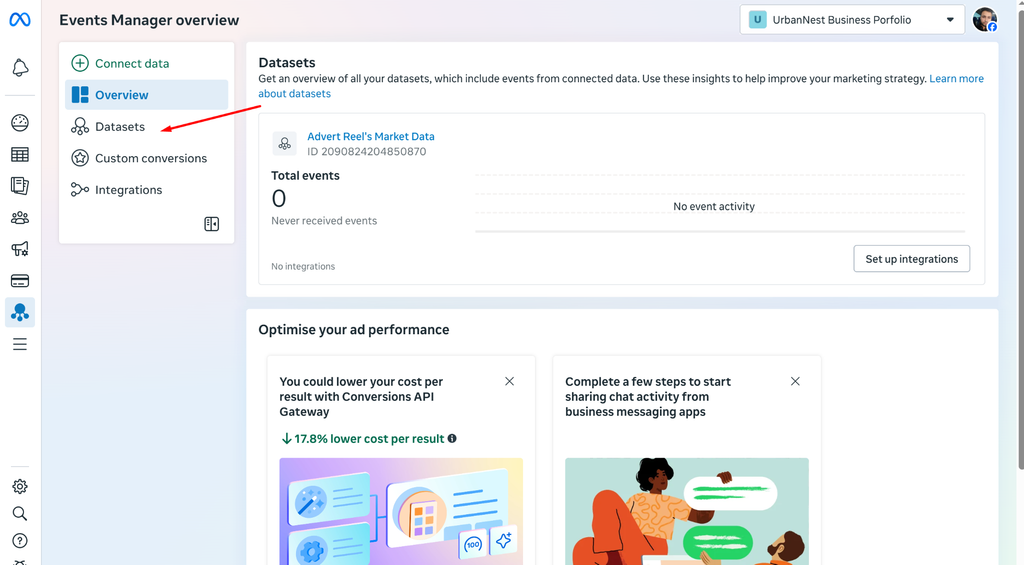
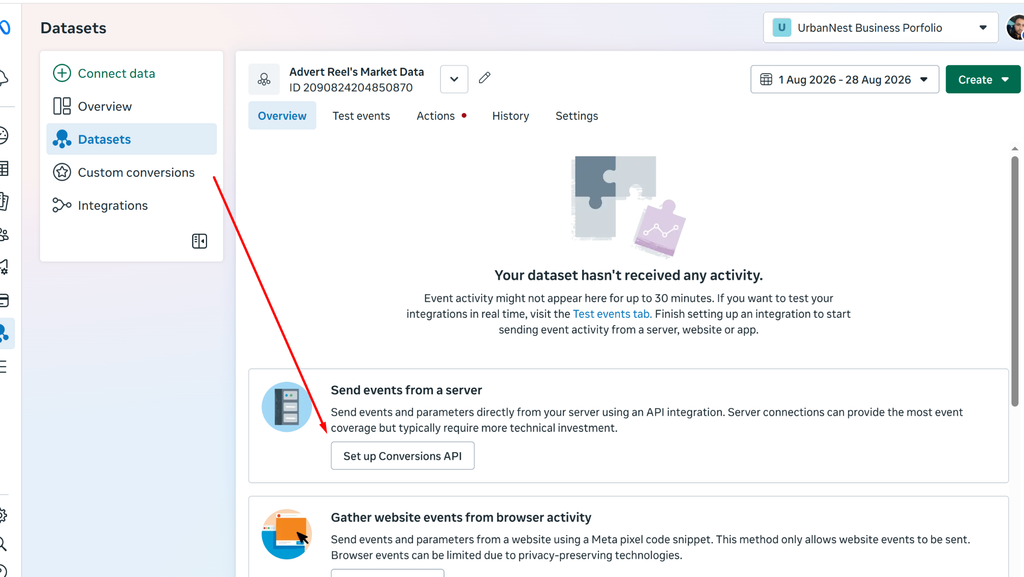

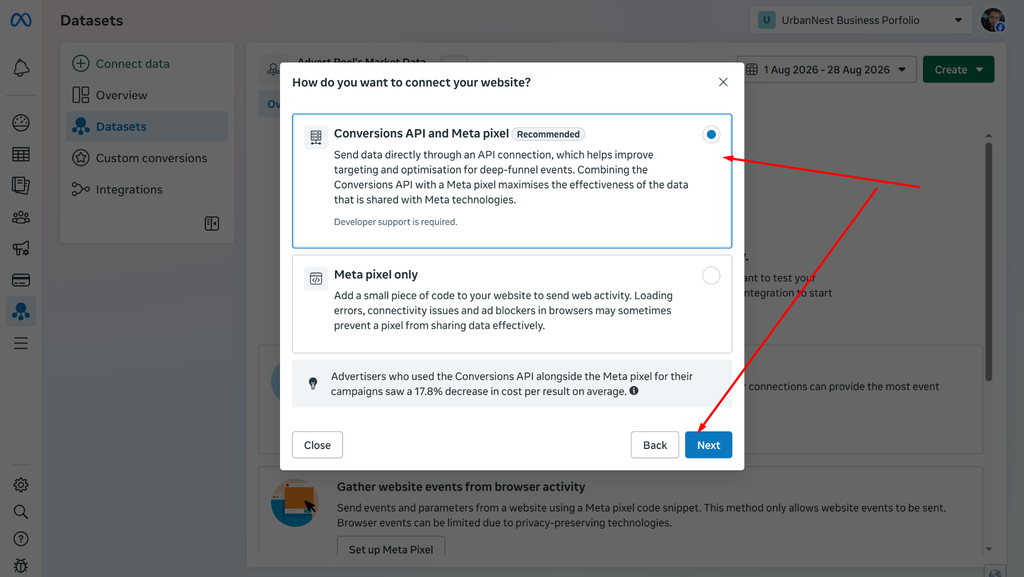
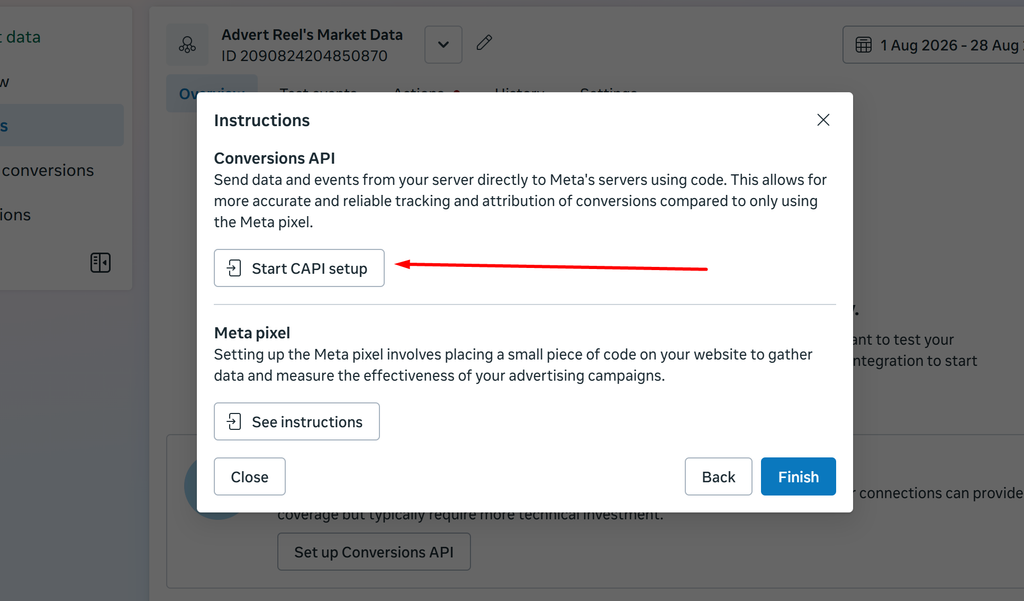


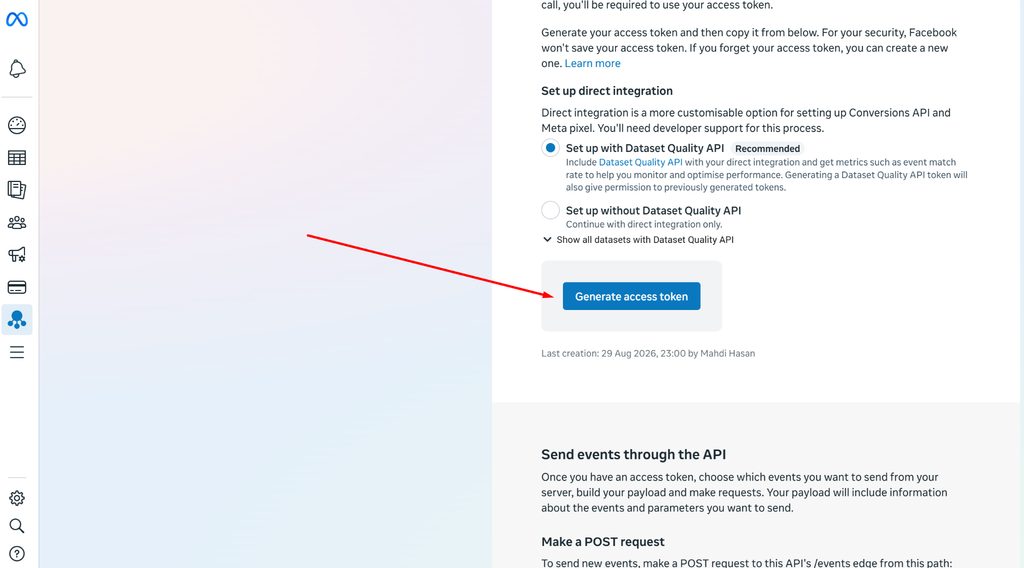

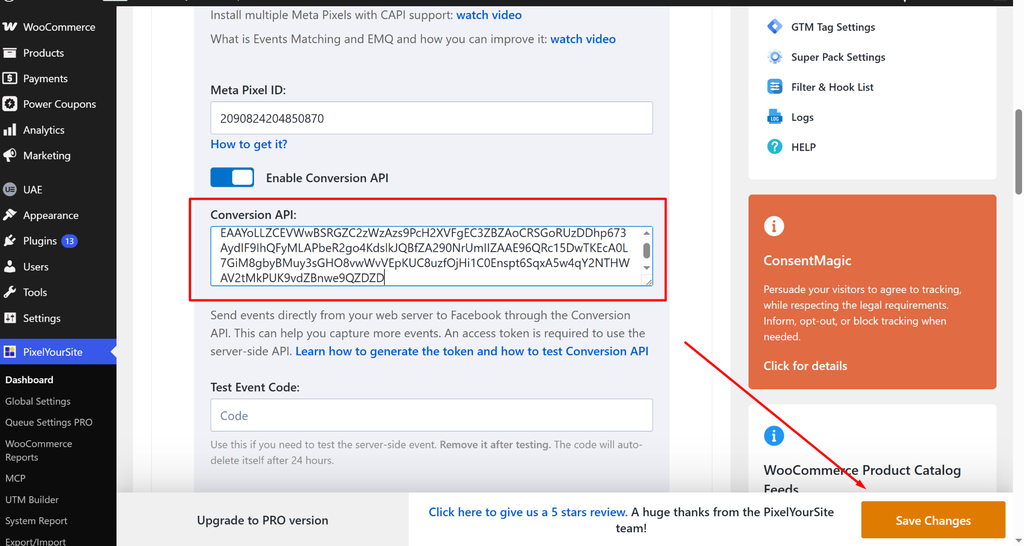

1. Meta Pixel Setup
Pixel Name: Advert Reel’s Market Data
Purpose:
Meta Pixel is a tracking tool used to measure website activity and understand how visitors interact with the website after viewing or clicking Meta ads.
Setup Process:
- Opened Meta Events Manager from the Meta Business account.
- Selected the option to connect a web data source.
- Created a new Meta Pixel/Dataset named “Advert Reel’s Market Data”
- Selected the website data source and reviewed the available installation options.
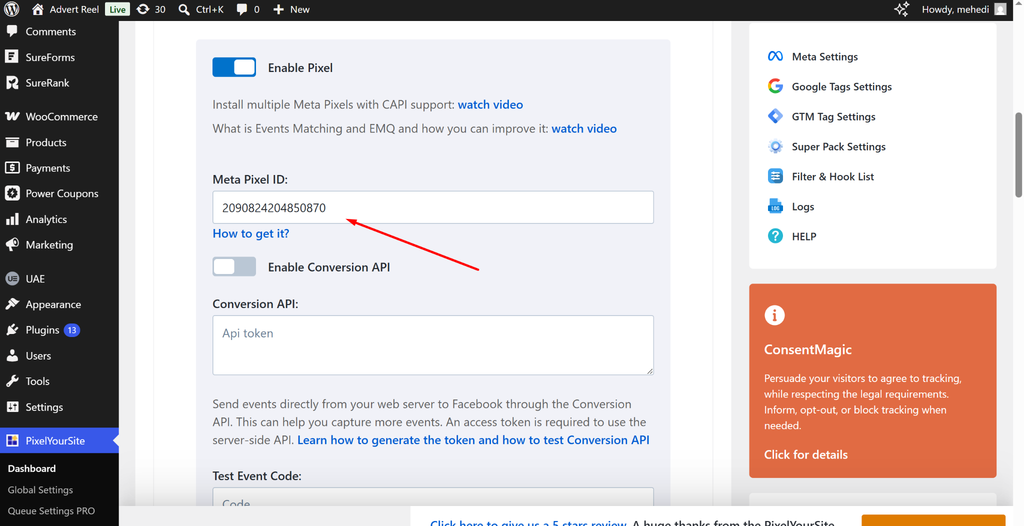
- The Pixel/Dataset ID and setup information were verified from the Website via Meta Ads Data Advisor Extension.
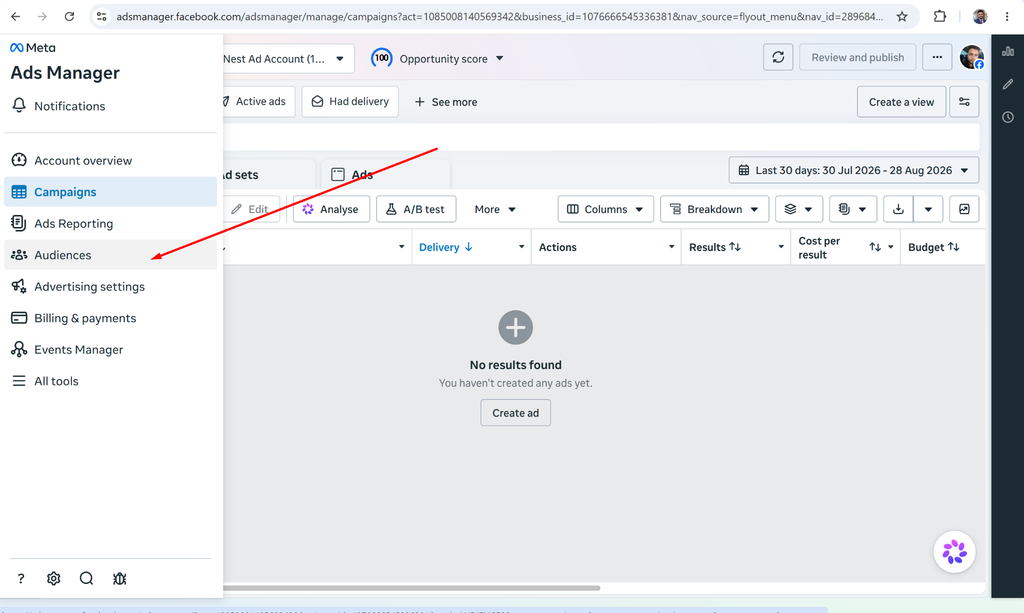
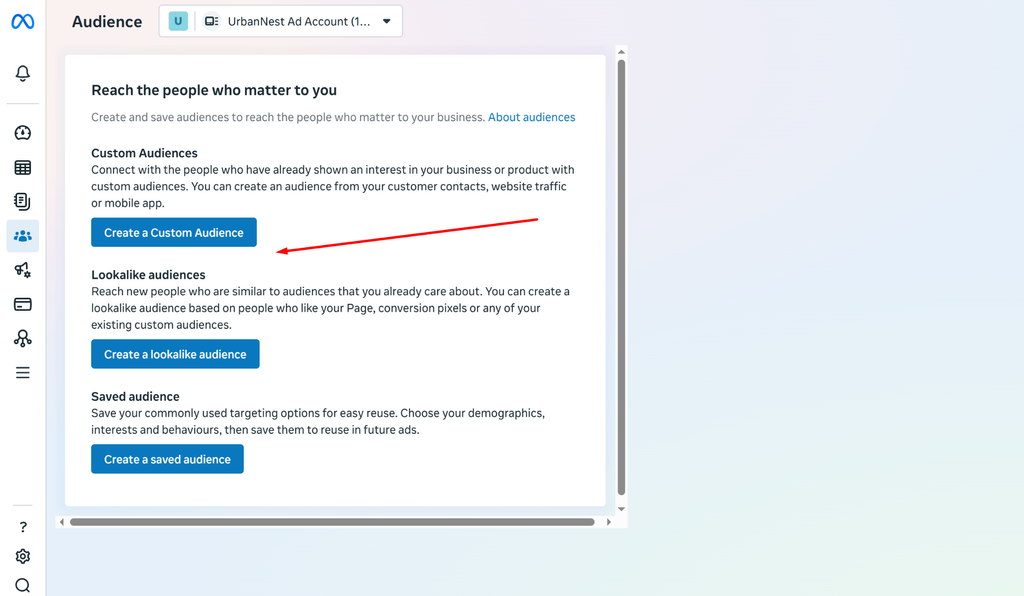
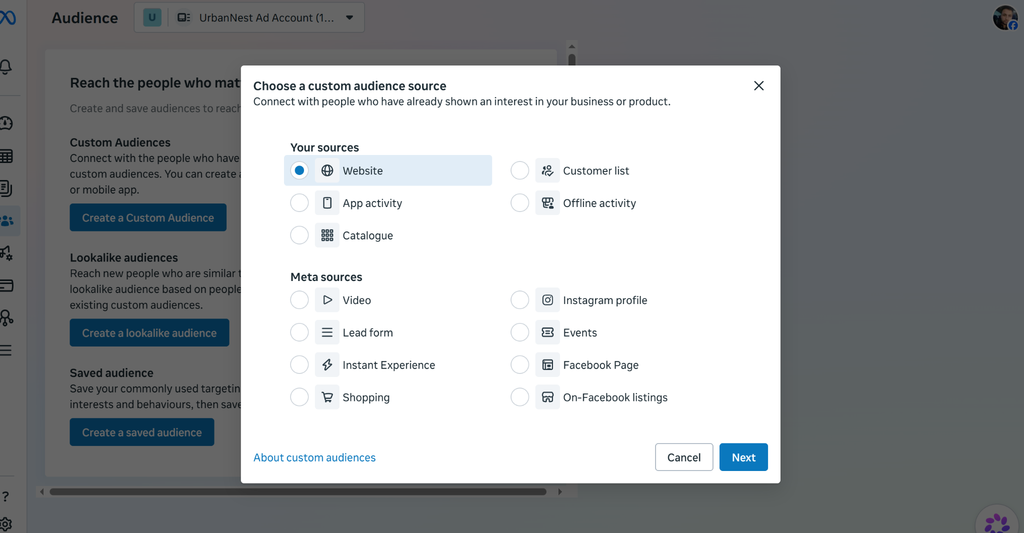
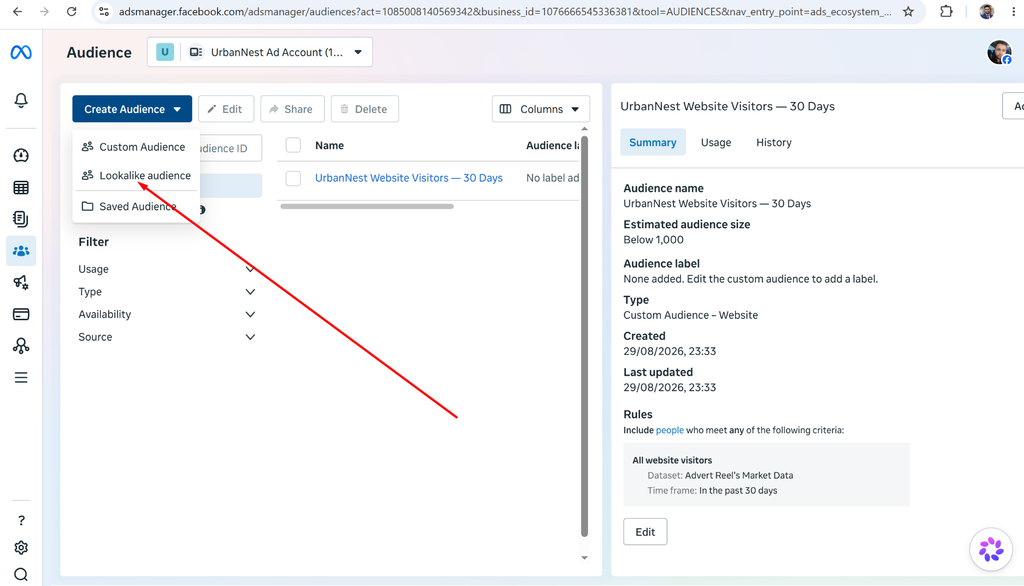
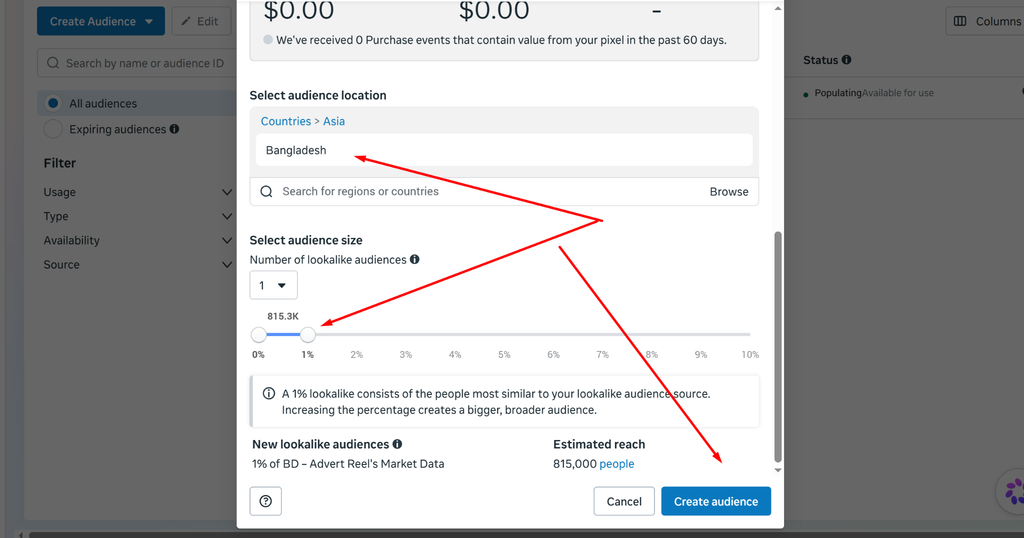
Custom Audience + Lookalike Audience

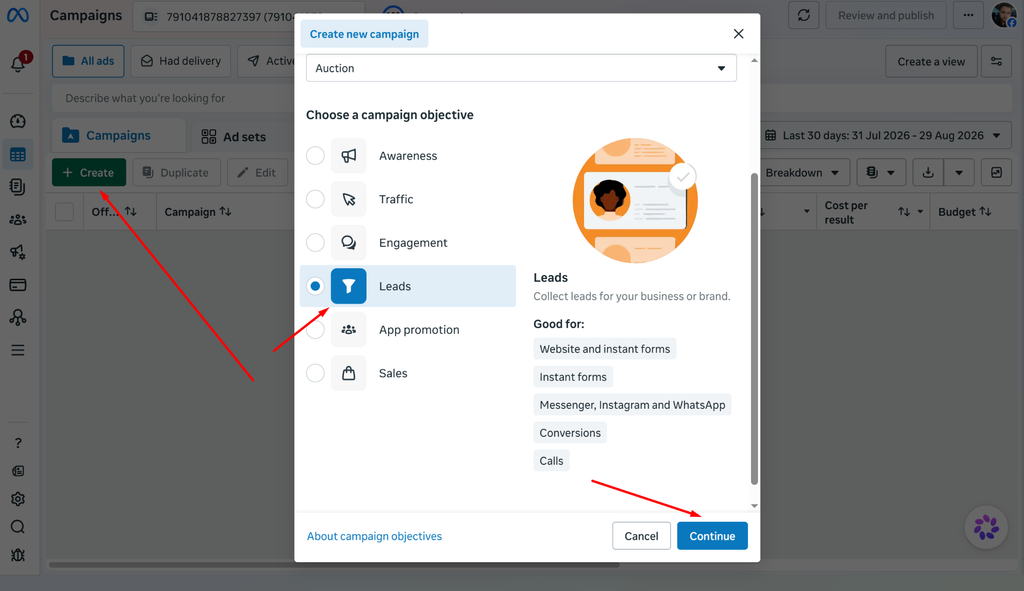
1 Complete Lead Gen Campaign Draft


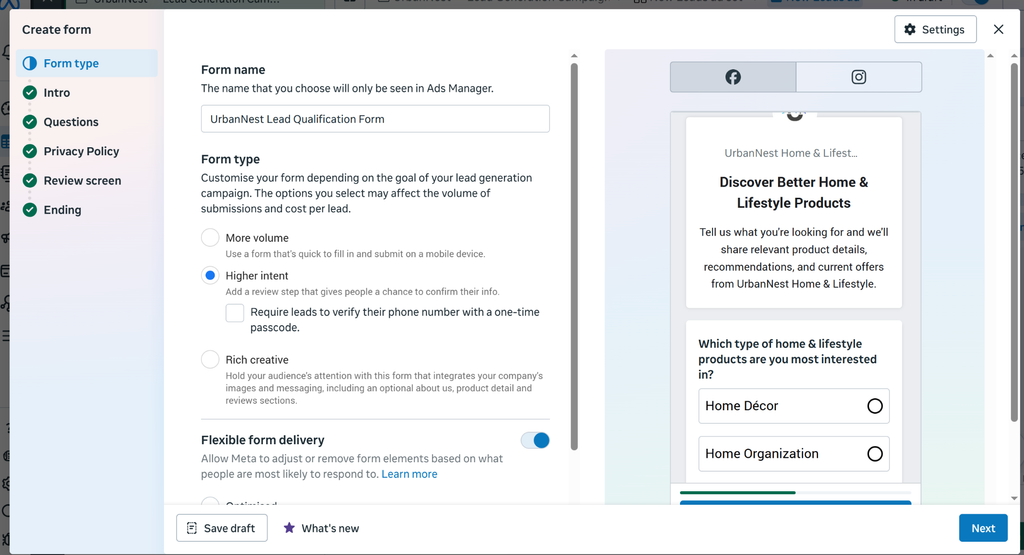
Ad Copy


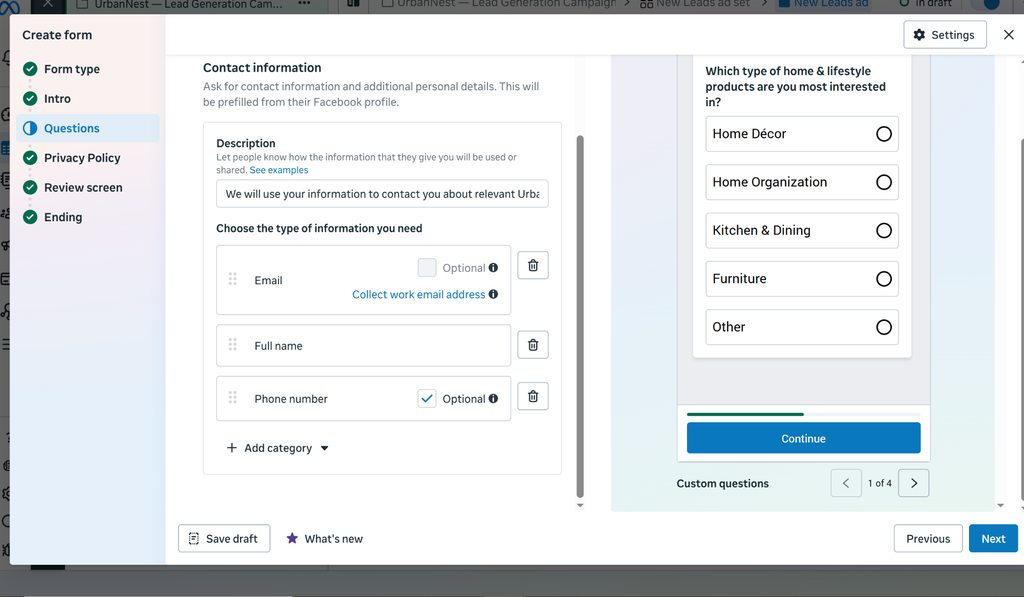
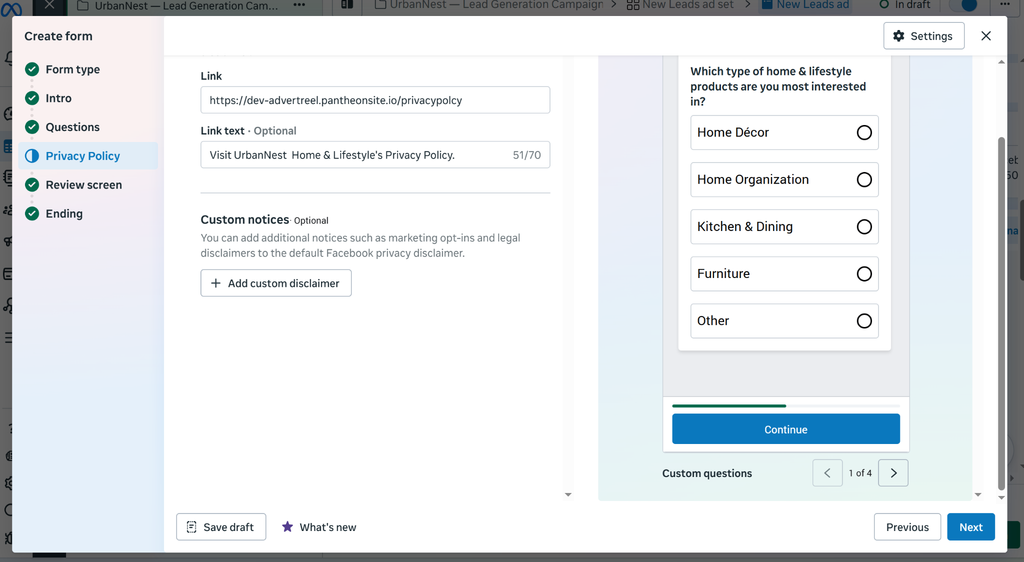
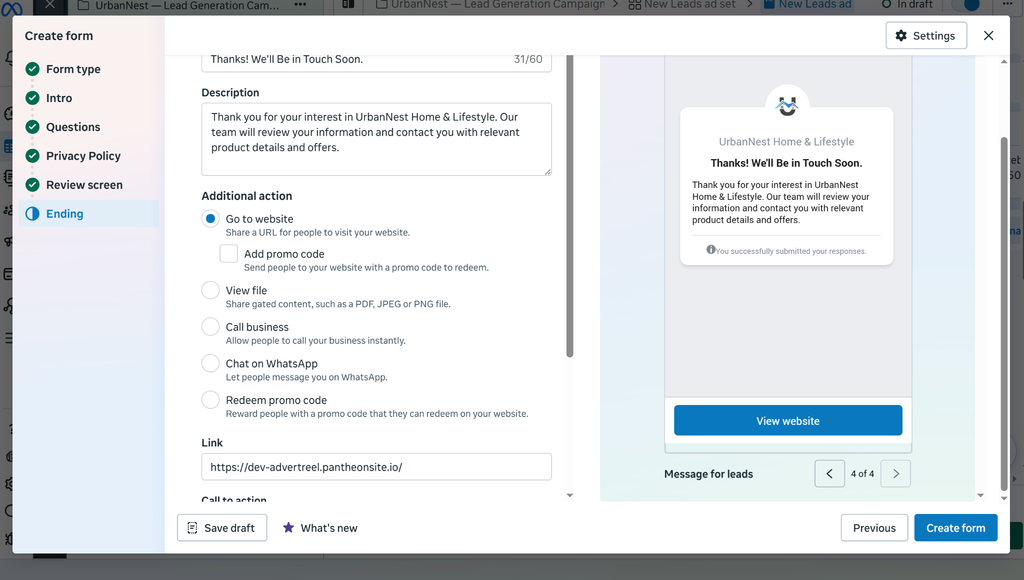
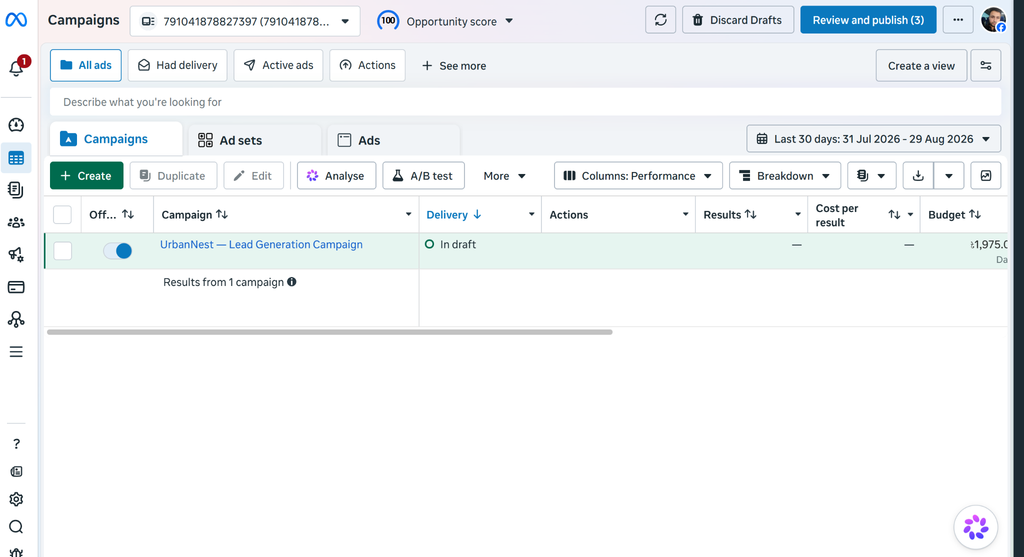
Instant Form
1. Product Interest:
“Which type of home & lifestyle products are you most interested in?” — This helps identify the lead’s specific interests and provide relevant product recommendations.
2. Purchase Timeline:
“When are you planning to make your purchase?” — This helps identify high-intent leads who are more likely to purchase soon.
3. Budget Range:
“What is your approximate budget for your next home & lifestyle purchase?” — This helps qualify leads based on their potential purchasing capacity.
Lead Quality Strategy
I would improve lead quality by asking short, relevant qualification questions about product interest, purchase timeline, and budget. This helps separate high-intent prospects from casual browsers while keeping the form simple enough to maintain lead volume.